How to Make a Presentation in Claude Code
Install slide-wright, generate a two-slide preview, approve it, then build, edit, export to PDF or PowerPoint, and deploy a presentation without leaving Claude Code.
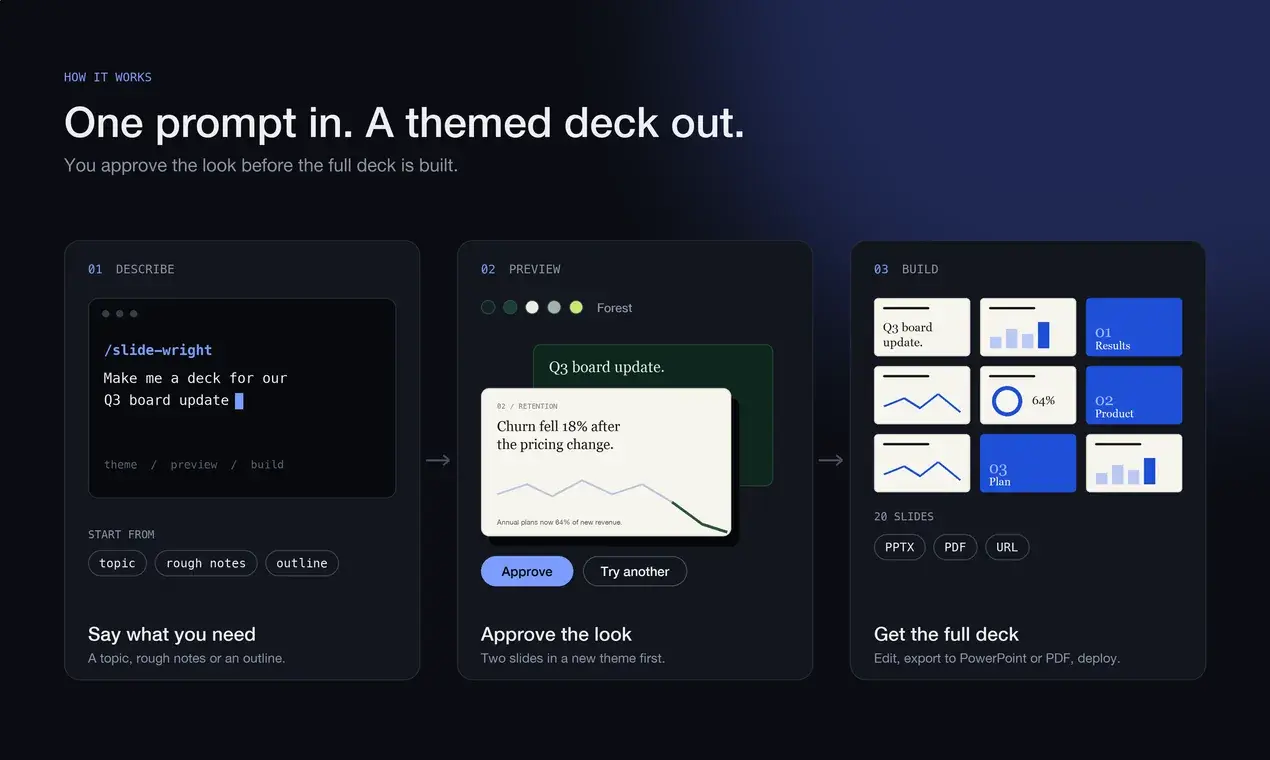
You can make a full presentation from Claude Code without opening PowerPoint, Keynote, or a web app. You describe the deck, look at a two-slide preview, and approve it or ask for a different direction. You end up with one HTML file you can present from a browser, export to PDF or PowerPoint, or put online at a URL.
This walkthrough uses slide-wright, an open-source (MIT) skill I wrote. It also works in Codex, OpenCode, Gemini CLI, Antigravity, Cursor, Windsurf, and other agents that load SKILL.md skills. The steps below use Claude Code; the install step covers the others.
What you need
- Claude Code, or another agent that supports skills.
- A browser. The preview opens in it, and PDF export uses its print dialog.
Install
In Claude Code, register the marketplace and install the plugin:
/plugin marketplace add arifszn/slide-wright
/plugin install slide-wright
Using Codex, OpenCode, Gemini CLI, Antigravity, Cursor, Windsurf, or another agent that reads SKILL.md folders? Install it with npx:
npx skills add arifszn/slide-wrightOr copy the slide-wright/ folder into your agent's skills directory by hand. The per-agent paths are in INSTALL.md. Restart the agent after installing so it picks up the skill.
Describe the deck
Ask for a deck in plain language. A topic is enough. Rough notes or a full outline work too.
/slide-wright Create a Q3 board update for Corvid Labs, a B2B observability SaaSPlain language without the slash command also works.
It works out the purpose, audience, and length from what you wrote, so there is no questionnaire. If the request is a single bare word, it asks one question.
You can steer the look in the same sentence:
/slide-wright Generate a presentation for ClickHouse, keep theme yellowLook at the preview first
slide-wright does not build the whole deck first. It invents a theme for your topic (palette, typography, layout), builds two slides in it, a title slide and one content slide, and opens them in your browser. Then it stops and asks what you think.
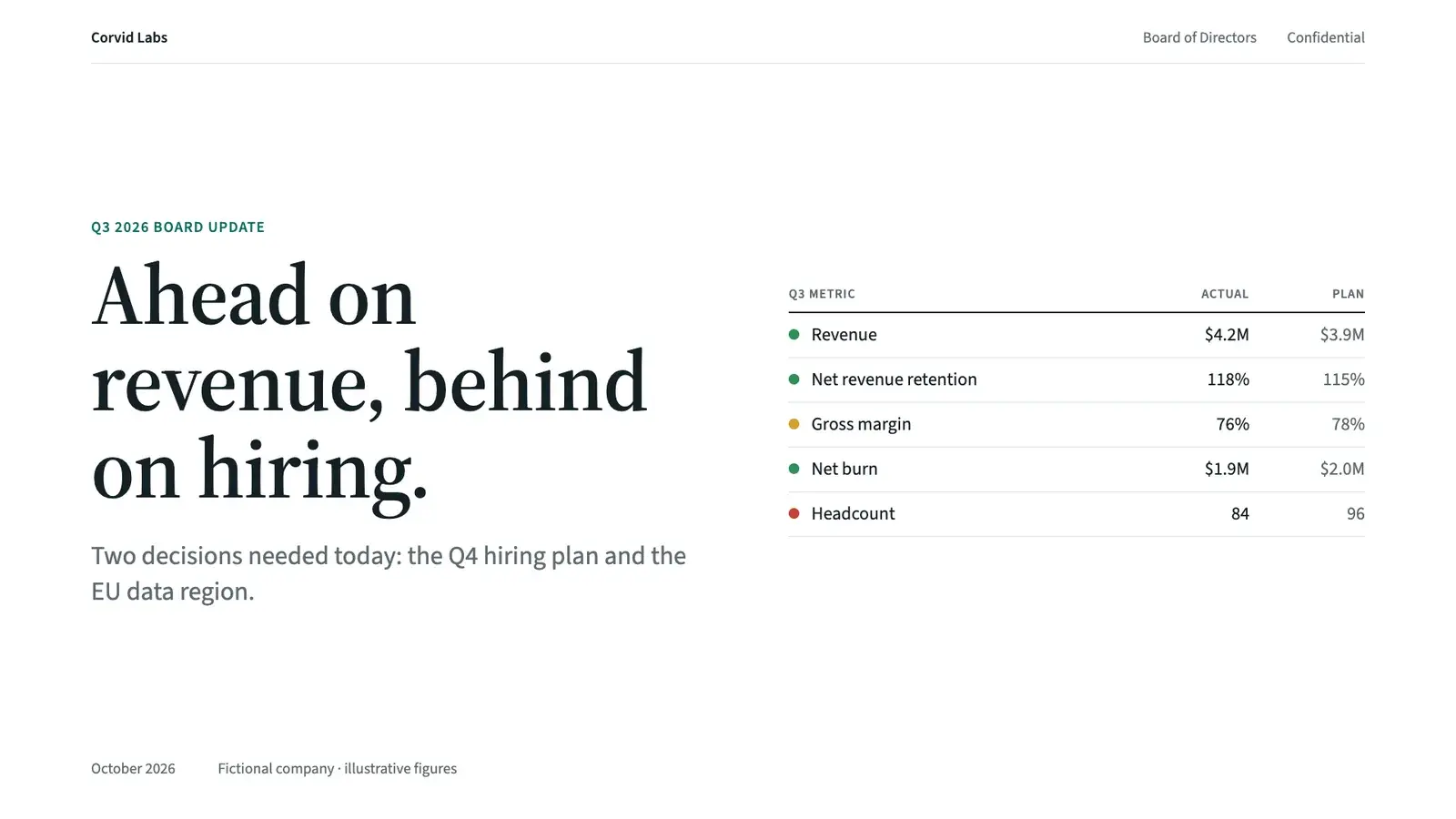
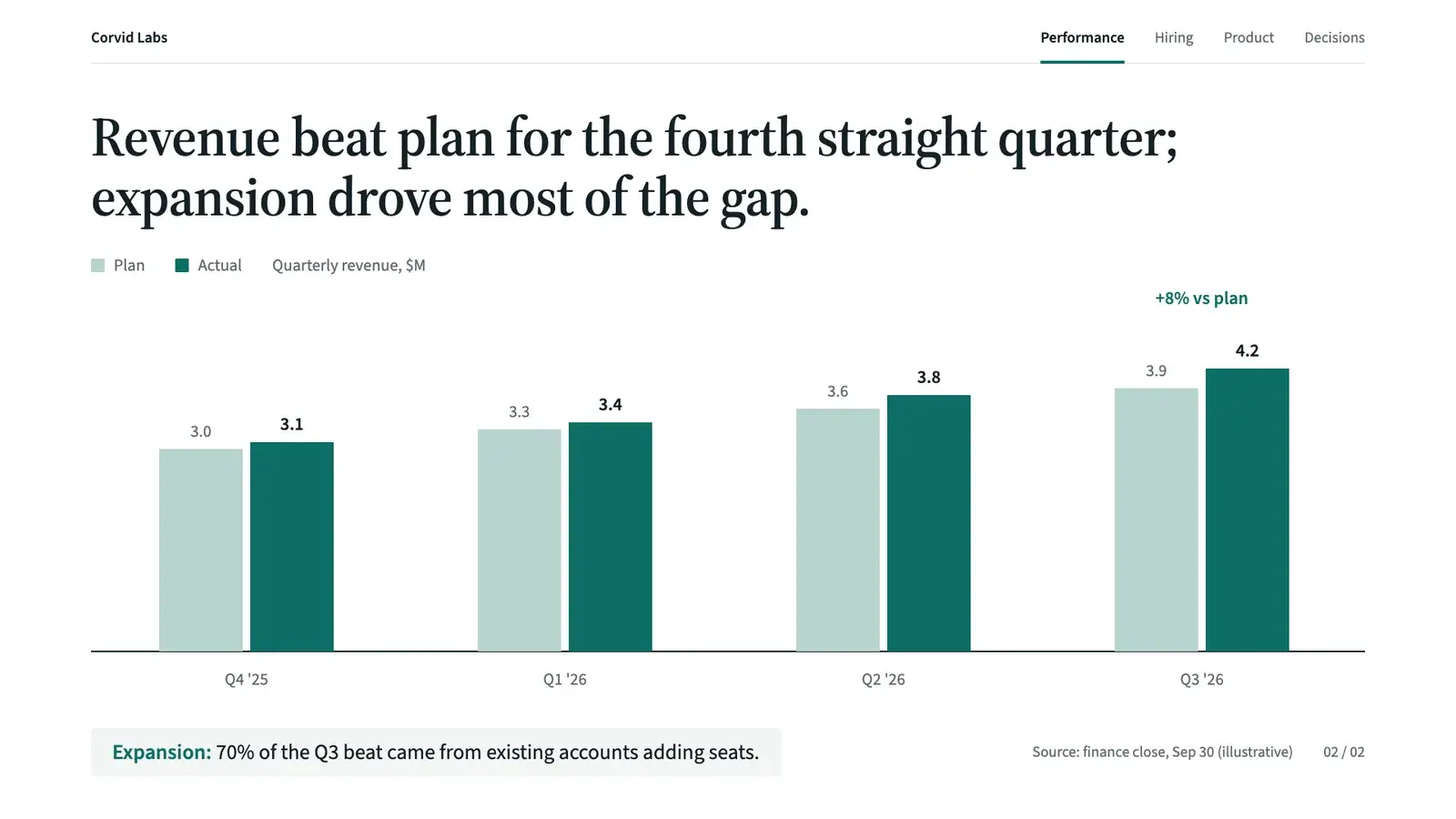
You get three choices:
- Looks great, build it.
- Try a different direction. It asks one steering question, then generates a new theme, not a recolor of the last one. The preview file is overwritten.
- Adjust this one. Change an accent color or font, or make it lighter or bolder.
Rejecting a direction costs two slides, not a full deck.
Build the rest
On approval, the two slides you saw stay untouched and the remaining slides are added after them. Each content slide has an answer-first title and one exhibit, such as a flow, mockup, chart, comparison, timeline, or metric panel. Speaker notes are added where the content calls for them.
Before it hands the deck over, it runs a checker that reports defects like text running off the slide, overlapping or clipped text, text under 18px, and fonts that failed to load. It fixes what the checker prints.


The result is <deck-slug>.html in your working directory. Open it in a browser to present.
| Key | What it does |
|---|---|
| Arrow keys, space, swipe | Move between slides |
F | Fullscreen |
Esc or O | Slide overview |
S | Speaker view with your notes |
Edit it later
Ask for changes in the same session or a later one: add a slide, remove one, rewrite the content, or revise the design. For an existing deck it reads the file, keeps the theme, and edits in place. It skips the preview step, because you already approved the look.
One limit: this edit path only works on decks built on reveal.js, which is what slide-wright generates. If you point it at an HTML deck built on another engine, it will say that is out of scope instead of rewriting it.
Export to PDF
PDF export is the browser's print dialog, with no extra tools.
- Open the deck with
?print-pdfadded to the URL, for examplefile:///path/to/deck.html?print-pdf. - Press Cmd+P or Ctrl+P.
- Set Destination to Save as PDF, Layout to Landscape, Margins to None, and turn Background graphics on.
Each slide becomes one full-bleed page. Animations flatten to their final state, so the PDF is a static snapshot. If the colors look washed out, Background graphics was off.
Export to PowerPoint
Ask for it:
/slide-wright Export my deck to PowerPointUnder the hood it renders each slide in headless Chrome at 1920x1080 and builds a .pptx. Each slide gets a background image with the text removed, native text boxes on top, and your speaker notes. The text boxes are real PowerPoint text with font, size, color, and alignment carried over, so you can edit the words.
Know the limits before you send the file to someone:
- Shapes, cards, charts, SVG, and images are baked into the background picture. You cannot edit them in PowerPoint.
- Text the exporter can't place accurately, such as SVG, gradient, rotated, or clipped text, stays in the picture.
- Fonts are not embedded. If the machine opening the file lacks them, PowerPoint substitutes fonts and line breaks can shift.
- Animations are flattened to the final state.
Put it online
For a link that works on any device, ask the agent to deploy the deck. It offers Surge, Vercel, or Netlify, all free static hosts run through npx, and lets you choose.
You log in to the host yourself in your own terminal, for example npx surge login, because those logins are interactive. After that the agent runs the deploy. On Vercel, turn off Deployment Protection, or visitors will be asked to log in. Redeploying to the same Surge domain keeps the URL.
Things to know
- It needs internet to render. The deck is one HTML file, but the presentation engine (reveal.js) and the fonts load from CDNs. Check this before you present on a plane or a locked-down network.
- Every deck gets a new theme. There is no template library, so two runs of the same prompt will not look identical.
- PDF and PowerPoint are exports of the HTML. The HTML file stays the source of truth.
Try it
The repo is at github.com/arifszn/slide-wright. If it breaks on a topic you throw at it, open an issue and tell me what you asked for.